When people think about an aging security system, they usually think about the equipment. Cameras eventually need service, sensors can wear out, and technology changes. But some of the first parts of a system to become outdated are often the information and permissions behind it.
User codes, access credentials, monitoring contacts, notification settings, and programmed schedules can remain unchanged long after the people or routines associated with them have shifted. For current customers of Advanced Integrated Security throughout Mobile and Baldwin County, keeping those details accurate can help an existing system continue supporting the property without requiring new equipment.
The Equipment May Still Be Doing Its Job
Changes at a home or business do not automatically mean the security hardware needs to change. Cameras, intrusion devices, access control equipment, and other components may continue performing reliably for years while the people using them and the information attached to them evolve.
A business may have different employees managing security than it did when the system was installed, while a homeowner may no longer need every code or mobile user that was originally added. Those administrative details are easy to overlook because they do not affect whether a sensor activates or a camera records, but they still influence how the system is managed. Periodically reviewing them can help keep viable equipment organized around the people who use it today.
Access Should Still Match the People Using It
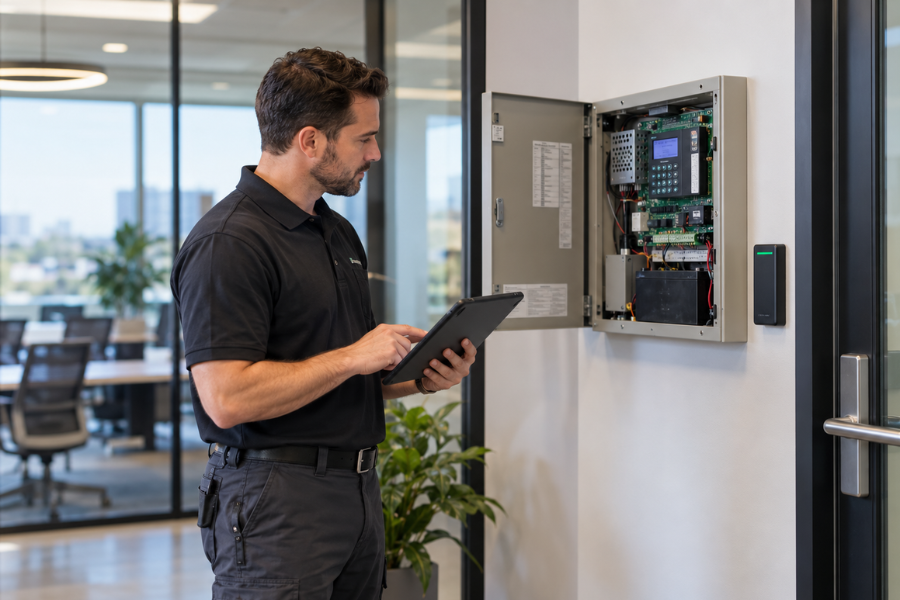
This is especially important with access control and alarm user codes. Business credentials should reflect who currently works at the property and which areas each person needs to enter. When employees leave or responsibilities change, permissions may need to be removed or adjusted so administrators have a clear understanding of who still has access.
Residential systems can accumulate unnecessary users in much the same way. A code or app login that once served a purpose may no longer be needed months or years later, even though it remains active in the system. Reviewing those permissions keeps access aligned with the people who are supposed to have it without requiring changes to equipment that continues to work reliably.
Monitoring Information Needs to Stay Accurate
Professional monitoring depends on having accurate contact information associated with the account. Phone numbers change, employees leave, and responsibility for a property may move to someone else, yet those changes do not always make their way back to the monitoring information tied to the system.
This can be particularly easy to overlook at a business where security responsibilities shift between employees over time. Periodically confirming the appropriate contacts and phone numbers can prevent outdated information from remaining attached to the account and make sure the people listed are still the people who should be involved when an alarm event occurs.
If you are an existing AIS customer and have not reviewed your users, monitoring contacts, or system settings recently, call (251) 380-1501 or contact Advanced Integrated Security online. Our team can help you identify what needs to be updated.
Notifications Should Still Reach the Right People
Supported security platforms can send alarm notifications, video alerts, system information, and other updates directly to users, but those tools are most useful when the information is reaching people who still need it. A former manager may remain on an alert list after someone else has taken over responsibility for the property, while a homeowner may still have family members or other users receiving notifications that are no longer relevant to them.
Reviewing those settings can reduce unnecessary alerts while preserving the notifications that remain useful. Adjusting who receives information, and what information they receive, can often make an existing system easier to manage without changing the technology itself.
Schedules Can Fall Behind Too
Programmed schedules can remain unchanged long after routines shift. Businesses may use schedules for alarm functions, access permissions, or other automated activity, and changes in operating hours or staffing can leave older settings in place even when they no longer match how the property is being used.
Homeowners can encounter the same issue with connected security or automation settings created around a previous routine. Checking those schedules periodically gives customers a chance to correct small mismatches and keep automated functions aligned with how the property is actually being used today.
A Short Review Can Clear Out Years of Small Changes
Reviewing this information does not need to become a major security project. A straightforward check can usually begin with a few questions:
- Does everyone with a code or credential still need it?
- Have former users been removed?
- Are monitoring contacts and phone numbers accurate?
- Are notifications reaching the right people?
- Do programmed schedules still match how the property is used?
If something on that list no longer reflects the property, the solution may be as simple as updating a user, changing a contact, or adjusting a setting. Small administrative changes like these can keep an existing system easier to understand and manage without turning the process into a larger upgrade.
Keep the Information Behind the System Current
Working with a local security provider also means having someone familiar with the equipment already in place when those adjustments are needed. AIS supports existing security systems throughout Mobile and Baldwin County and can help current customers with settings, user changes, monitoring information, service needs, and equipment questions.
As a UL Certified company, Advanced Integrated Security also brings established security and life safety expertise to the customers it serves. A system can continue performing reliably for years, and keeping the information associated with it accurate helps preserve the usefulness of equipment that may still have plenty of service life ahead.
If something about your AIS system no longer reflects the people, schedules, or responsibilities at your property, call (251) 380-1501 or contact our team online. We can help you review what is in place and make the appropriate updates.